Animated UI Kit - 8 Menus, HUD and Sounds
 1 / 6
1 / 6UI & Graphics
by Anarch · 1 sale
Clean gui Animations Sounds
€4.99
+ €0.45 service fee · €5.44 total
You'll need to log in to buy.
Contact the seller- Instant download
- Secure payment with Stripe
- Scanned for backdoors
- Content verified
Description
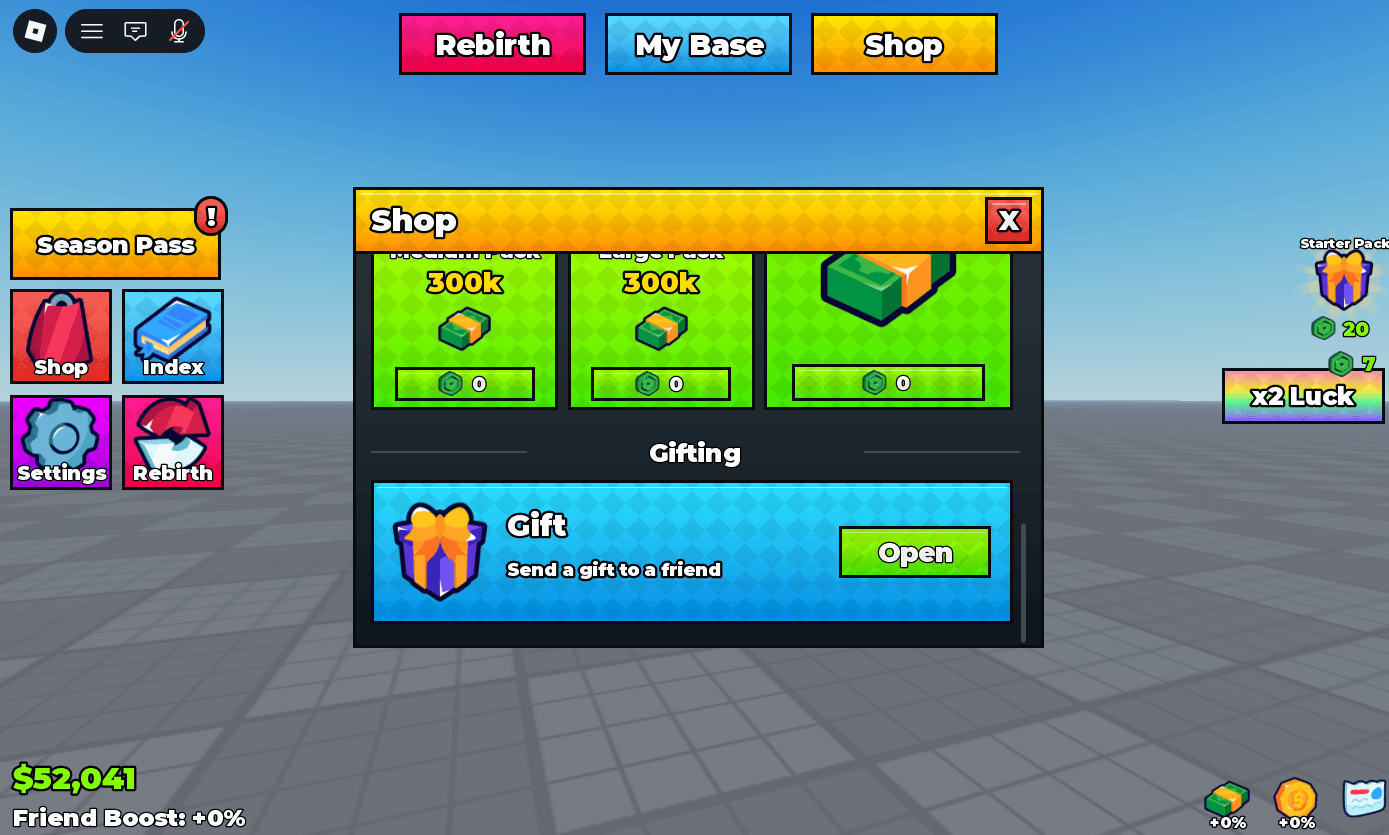
A complete, ready-to-use interface for simulator, pet and tycoon games. Every window and button shares the same bright style, and everything is already animated, with sounds and automatic scaling for phones, tablets and PC.
What's included
8 windows
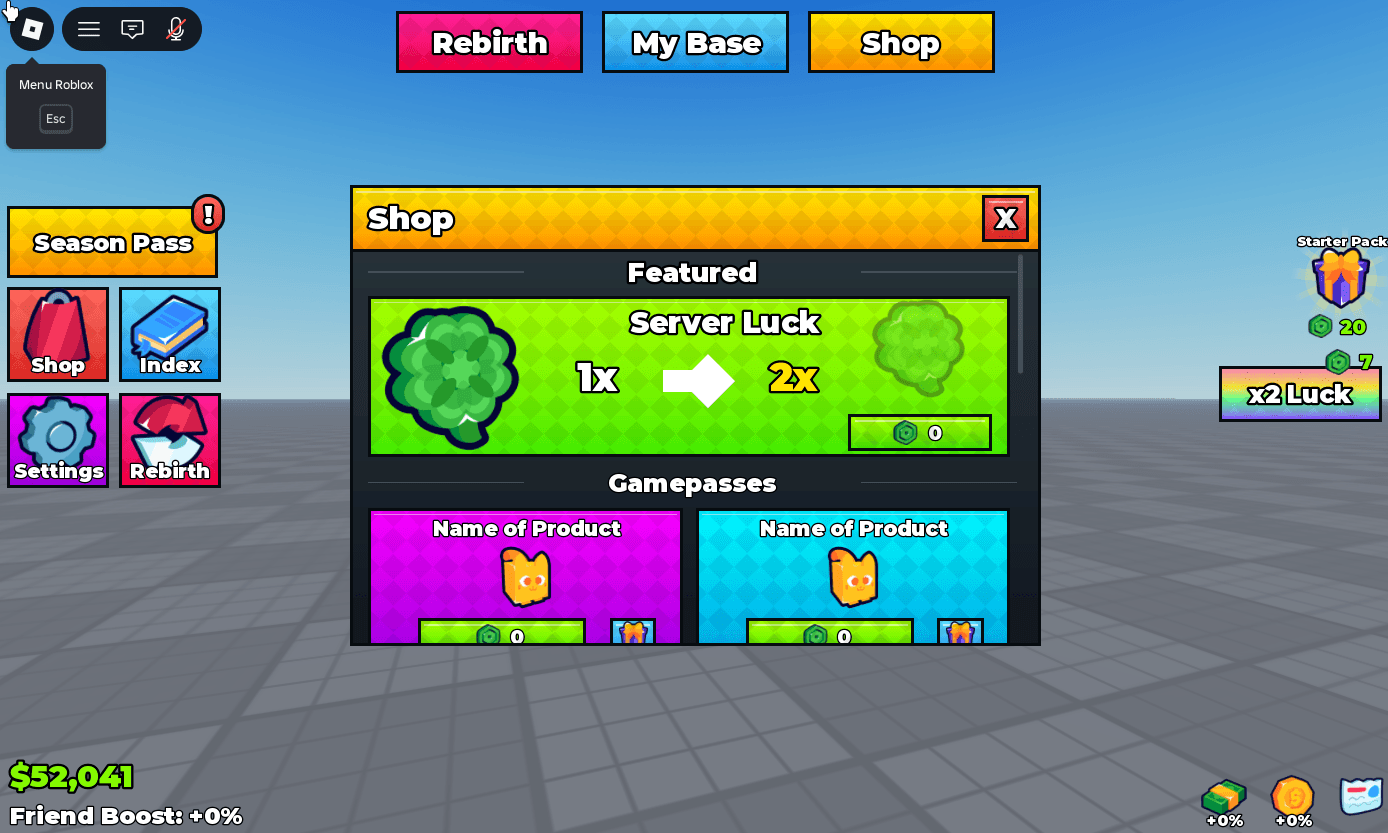
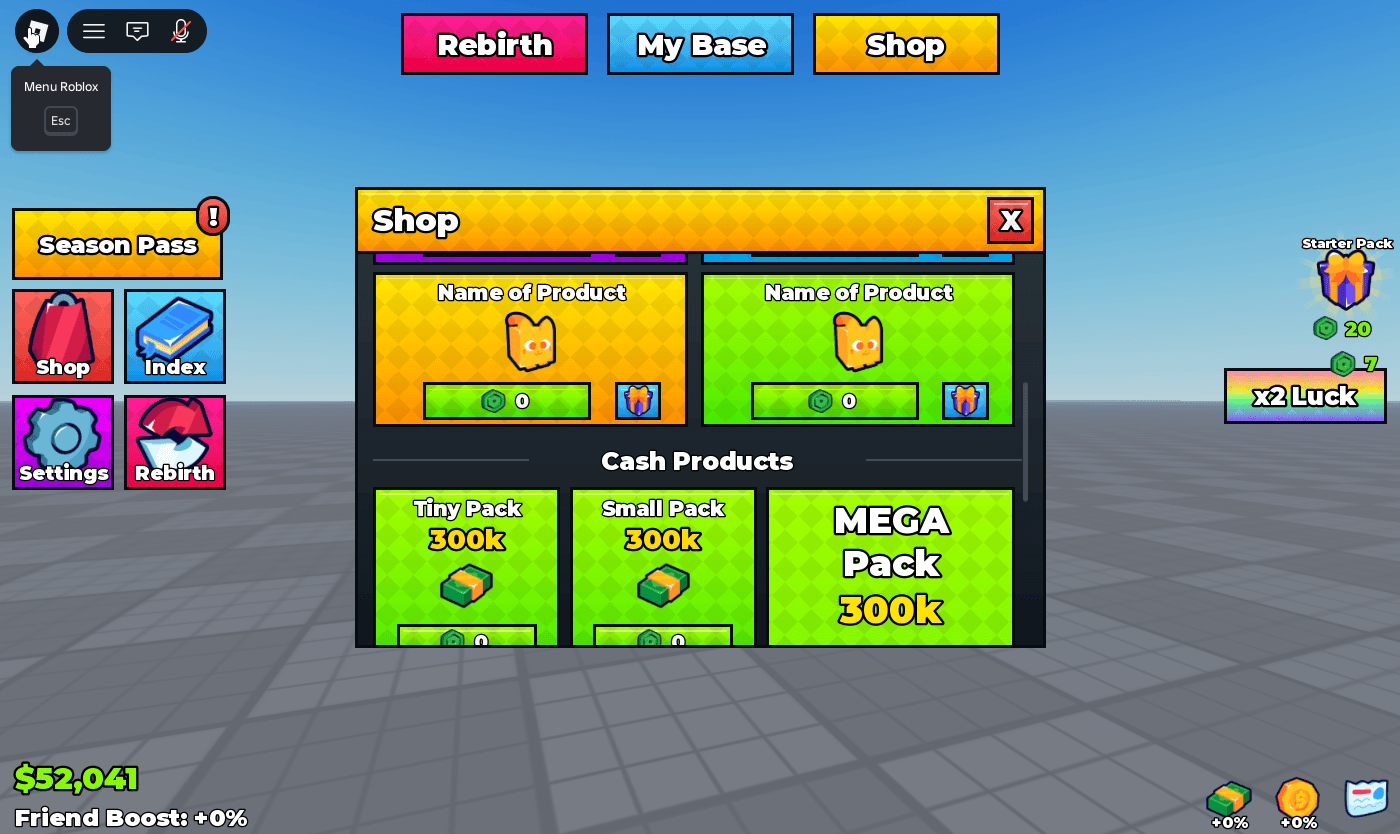
- Shop: Featured offer, Gamepasses, Cash Products and a Gifting section
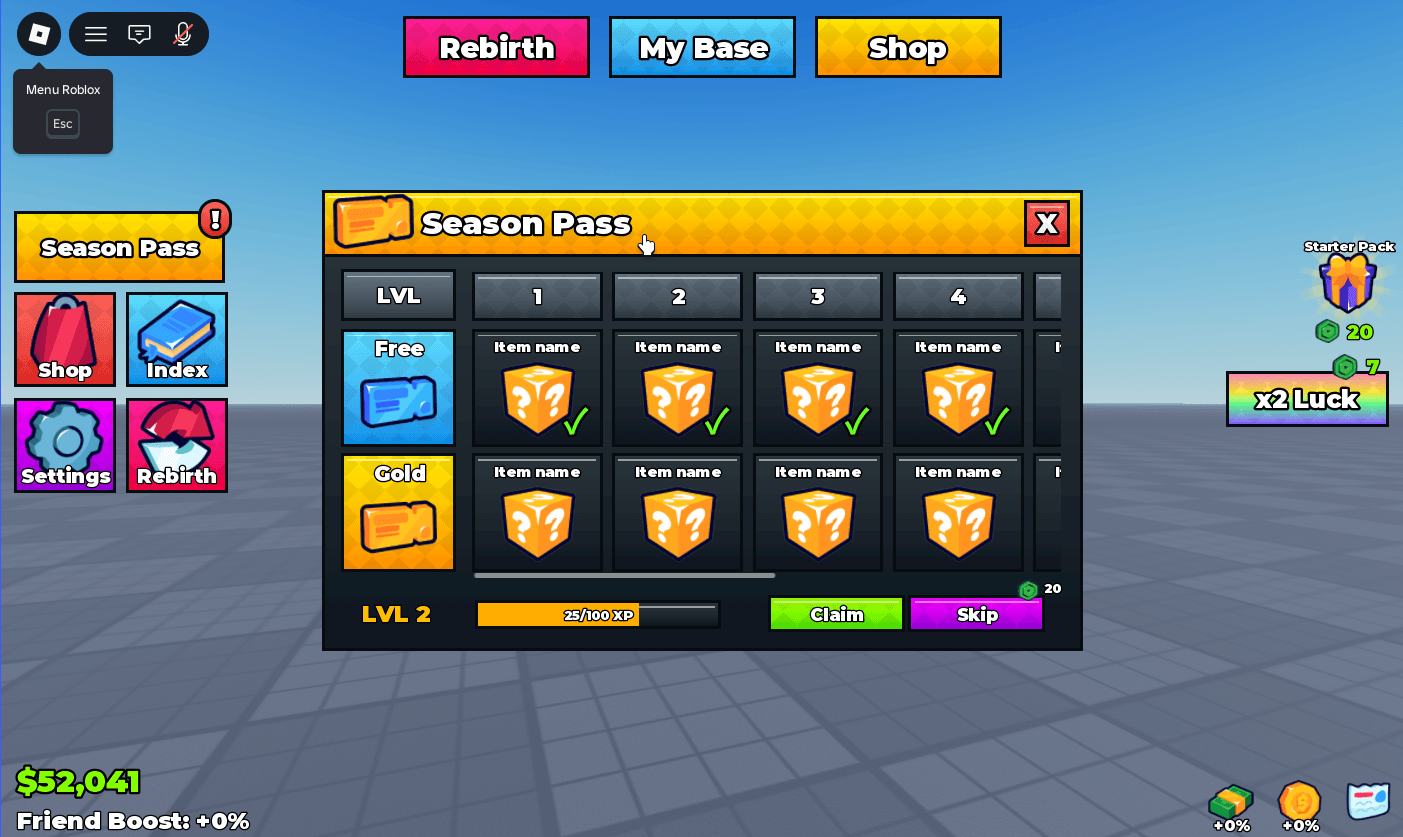
- Season Pass: Free and Gold reward tracks, levels, XP bar, Claim and Skip buttons
- Index: collection screen with category tabs
- Settings: Music and VFX sliders, sound and custom toggles
- Rebirth: rebirth screen
- Gift: send a gift to a friend
- Offline: offline earnings screen
- What's New: update news screen
HUD
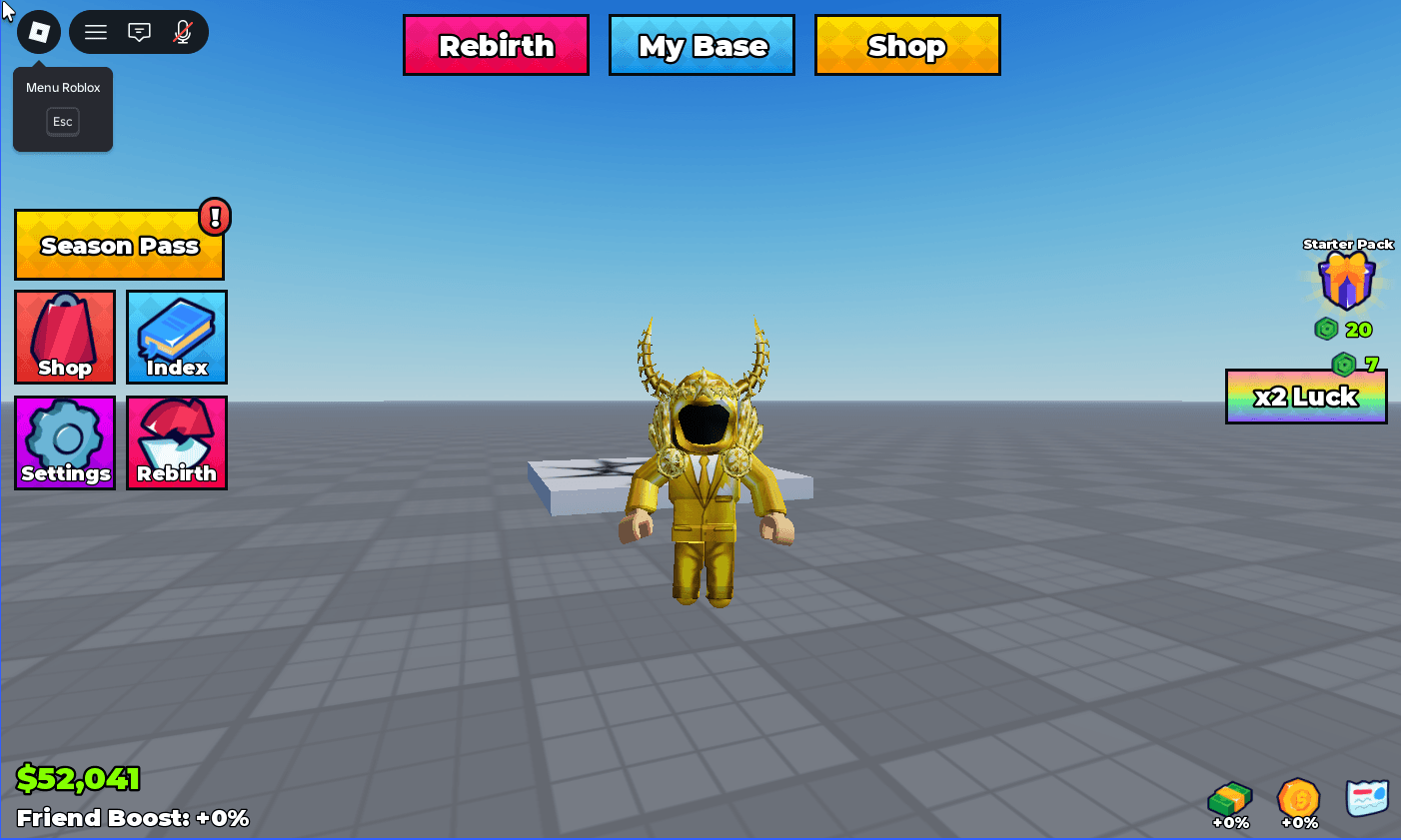
- Top tabs (Rebirth, My Base, Shop) and side buttons (Shop, Index, Settings, Rebirth)
- Season Pass button with an alert badge
- Starter Pack with a shine effect, x2 Luck button with a price
- Money counter, Friend Boost text, mini buttons (Gift, Offline, News)
One LocalScript that handles everything
- Open and close animations, hover and click effects, pop-in effects
- Click sounds with different pitches for hover, open, close and toggle
- Close a window with Escape or by clicking outside it
- Sliders and toggles that work with mouse and touch
- Automatic scaling to the player's screen size
How to install
- Open the place file in Roblox Studio.
- Copy CheckUI_HUD and CheckUI_Menus from StarterGui into the StarterGui of your game.
- Press Play: the HUD appears and every button already opens its window.
How to customize
Everything is set with attributes in the Properties panel, no code required:
- Window on a button: opens that window (Shop, Gift, Offline, Index, Settings, Rebirth, SeasonPass, WhatsNew)
- Product on a buy button: the product passed to your purchase code
- Action on an action button: Claim, Skip, Rebirth and so on
- Setting on a slider or toggle: the setting it controls
- TabGroup on tabs: groups tabs together
Change texts, prices and icons directly in Studio. Item names and prices are placeholders, ready for your own content.
Connecting your game
At the top of the CheckUIController script, three functions are ready for your game logic:
onBuy(product): connect your Robux purchases here (MarketplaceService)onAction(action): Claim, Skip, Rebirth and other actionsonTabPressed(name): top HUD tabs such as My Base
This is a UI kit: purchases, data saving and rewards are not included and need to be connected to your own systems.
Perfect for
Simulators, pet games, tycoons and collection games.
Scanned by Qubik · no issues found
9 script(s) checked for hidden requires, obfuscated code, loadstring, webhooks and viruses.
Content verifiedDetails
- Versions
- v1.0
- Format
- RBXL
- Size
- 147.2 KB
- Published
- 19 October 2026
- Downloads
- 1
Seller

1 resource · 1 sale
Reviews
No reviews yet. Buyers can leave a review once they've downloaded the resource.