Stylized Drifting Cloud System – Unlit Billboard Clouds, Zero Lag

 1 / 4
1 / 4VFX
by Plug · 0 sales
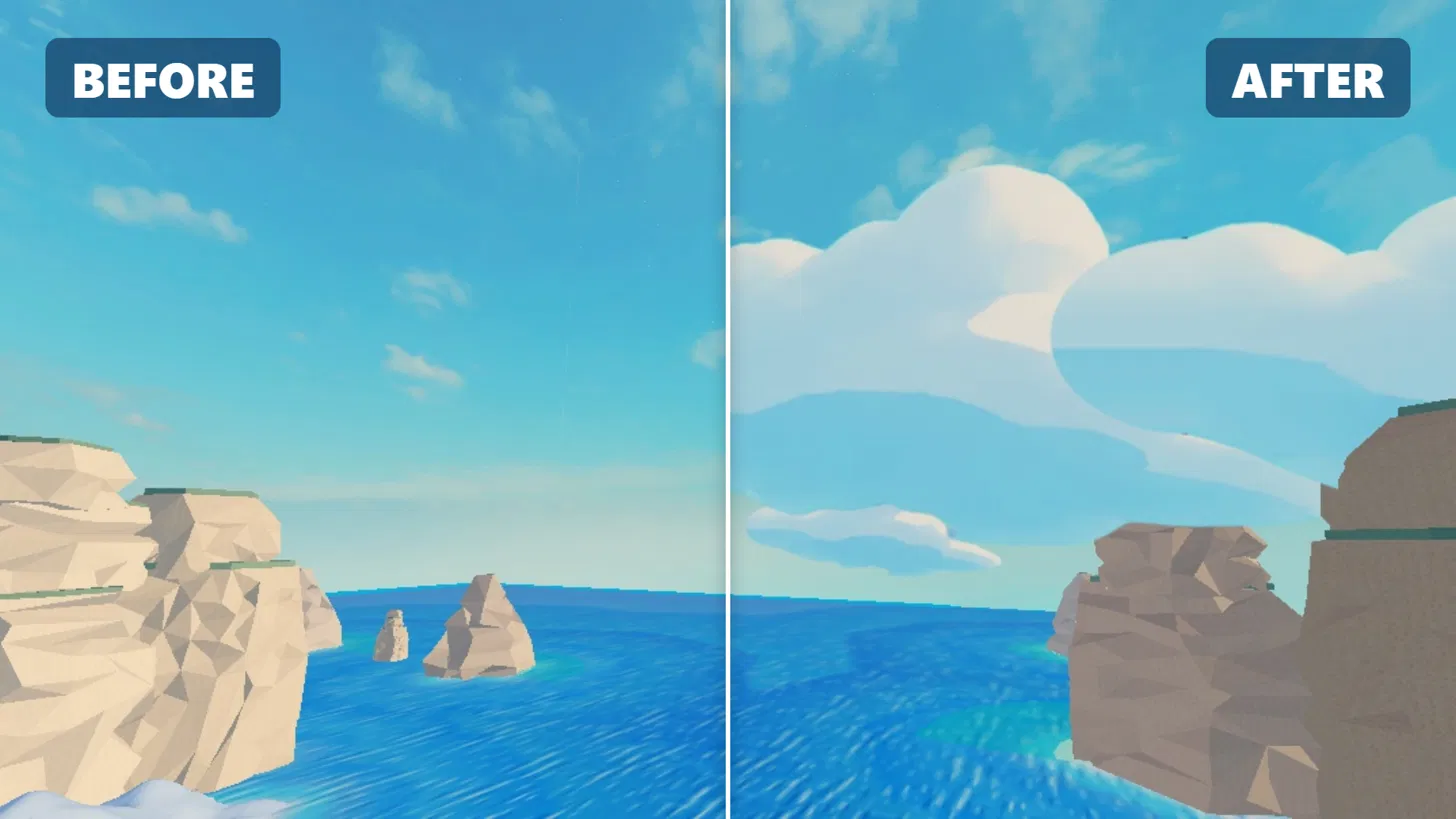
Soft cartoon clouds that drift across your sky: unlit billboard cards, one client script, no network traffic. Drop in, tweak one config, done.
€4.00
+ €0.43 service fee · €4.43 total
You'll need to log in to buy.
Contact the seller- Instant download
- Secure payment with Stripe
- Scanned for backdoors
- Content verified
Description
Stylized Drifting Cloud System
Give your lobby or map a living sky in under a minute. Big, soft, cartoon-style clouds slowly drift across the horizon at different heights and depths, built for stylized games (simulators, tower defense, obbies, lobbies).
Made for and used in my own game's lobby.
Features
- Unlit cloud cards: clouds keep their bright white top and soft blue underside under any lighting, day or night setups, no ugly grey shading.
- Smooth drifting: every cloud has its own speed; clouds fade out at the edge of their path and fade back in, with no popping.
- Client-side only: one client script that runs from inside the model, zero RemoteEvents, zero network traffic.
- Cheap: one texture, one anchored invisible part per cloud, no physics (CanCollide, CanTouch, CanQuery and CastShadow off).
- StreamingEnabled-safe: the model is set to Persistent, so clouds never disappear for players.
- Easy to tune: one
CloudConfigmodule for wind direction, speed, travel distance, fade, size, transparency and image. - Place your own clouds: duplicate a
CloudAnchor, move it, done. Resize a cloud with the Size of its BillboardGui. - 21 hand-placed clouds in a ring around your map, at different heights and depths.
What's included
DriftingCloudsmodel with 21 placed cloudsCloudDriftclient script (already inside the model)CloudConfigModuleScript- Cloud texture (already uploaded, works out of the box)
- Short setup guide (in a README script)
Setup (1 minute)
- Insert
DriftingCloudsinto Workspace. - Move the model so its pivot sits in the middle of your map.
- Press Play.
Want more clouds? Duplicate a CloudAnchor part and move it. Want them slower or faster? Change Speed in CloudConfig.
Notes
- Clouds are billboards: they always face the camera. They look best at a distance (backgrounds, skies, lobbies), not as clouds you walk through.
- No backdoors, no
require()of external IDs, no HttpService. All code is readable and commented.
Support
Questions or problems? Discord: Plug.182
Scanned by Qubik · no issues found
3 script(s) checked for hidden requires, obfuscated code, loadstring, webhooks and viruses.
Content verifiedDetails
- Versions
- v1.0
- Format
- RBXMX
- Size
- 29.6 KB
- Published
- 20 October 2026
- Downloads
- 0
Seller

1 resource · 0 sales
Reviews
No reviews yet. Buyers can leave a review once they've downloaded the resource.